
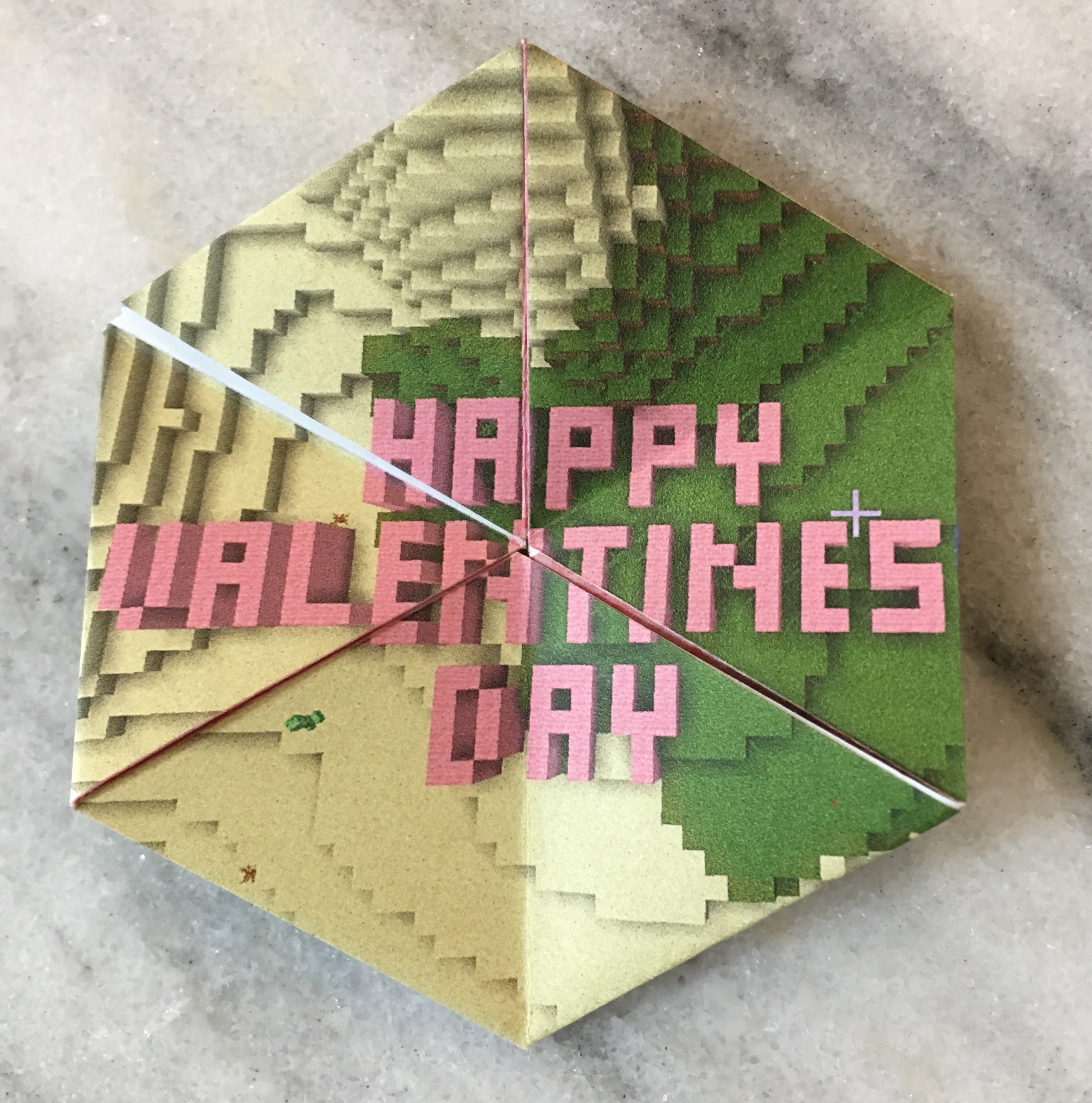
I love hexaflexagons. I first learned about them when I saw Vi Hart’s video on flexagons. Turns out they have been magical mathematical fun since 1939 when Arthur H. Stone was playing with cutoff strips of paper in class. (My kids do this too. Good to know it is not new.)
We do the obligatory elementary Valentine’s cards for the kid’s classmates (and everyone gets one, no singling out!) But I do like to give toys instead of candy (my youngest isn’t a fan of candy anyway, so bonus). And since there are usually at least 20 kids in class, I like paper toys because they are inexpensive. I also love origami, so crafting with paper is no hardship. And introducing more people to the joy of hexaflexagons? Priceless!
So this year I put my Photoshop skills to the test and made a Valentine Minecraft Hexaflexagon. I admit, I played Minecraft when my kids were at school to get the screenshots (my oldest wouldn’t do it for me, bummer). FYI, computer screen shots are much better than xbox screen shots. Just saying. Then I used frames in Photoshop to set up the hexaflexagon. The frames gave me stable shapes, but also the flexibility to adjust the image within the frame to get the final picture to line up nicely. I did have to adjust and tweak while to get everything where I wanted it, but now that I have, it should be easier the next time I want to make a custom printed hexaflexagon! (Want your own customized hexaflexagon? Contact me!)
And here is the freebie! Feel free to print the following image (I recommend getting it as large as possible on your paper using your printer settings, mine worked with 93% without cutting bits off).
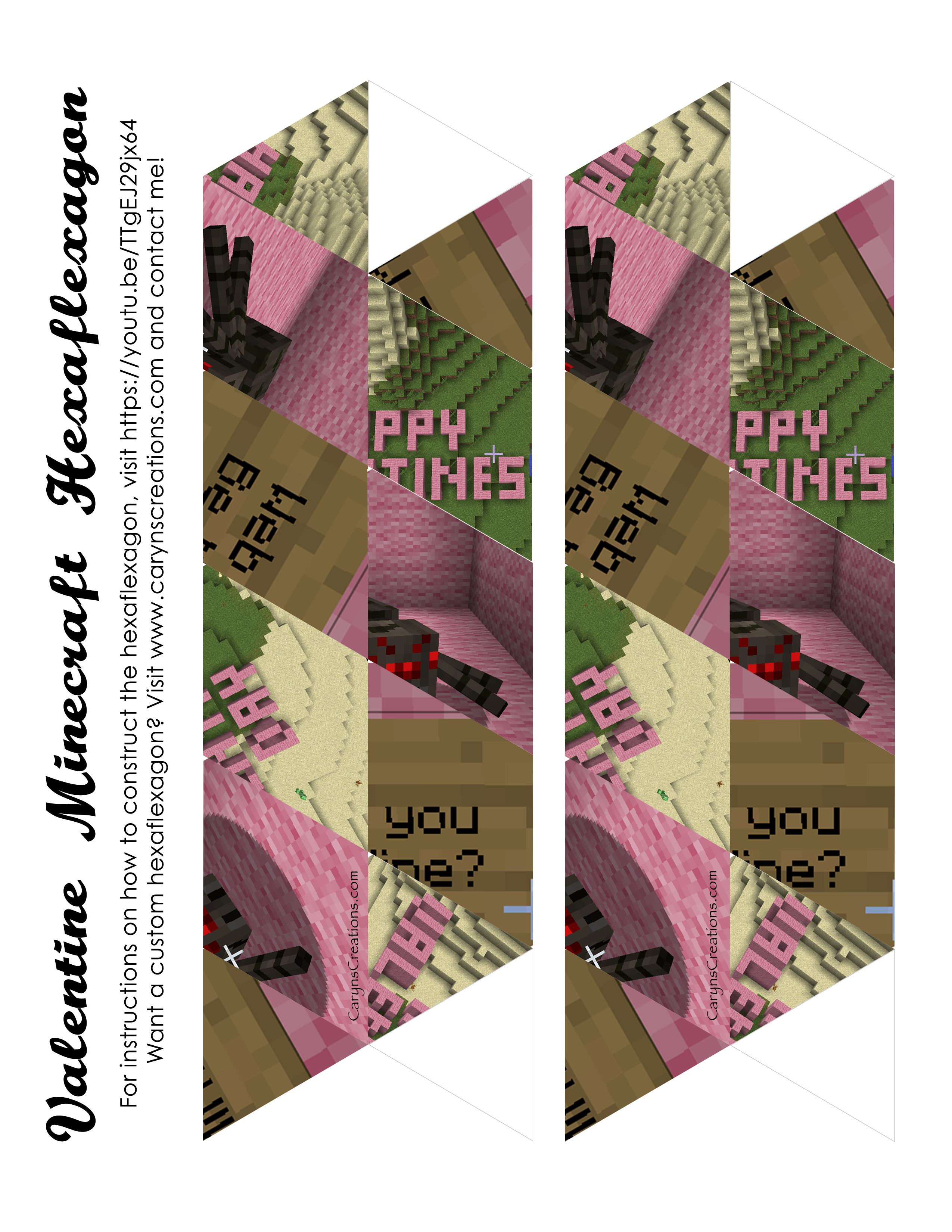
And here is a video explaining how to get it folded up and flexing!
Enjoy!








 Critters and Craft