Burn

I designed a snowflake cutout to use with my laser cutter for my holiday cards. Laser cuts can be much more precise than electric cutters like Cricut because there is not a dragging knife blade, however, there is a potential for burn. What I found interesting is that colored card stock had less burn than white card stock at the same settings. Hm. A product of reflection, maybe? Something in the way the paper is made?

Photo description: delicate snowflakes cut from card stock, the white showing burnt edges

I accidentally stacked two white sheets in the cutter at one point, which was disastrous with the burn marks, especially on the bottom page.

Photo description: burned cutouts as a result of cutting two pieces of paper, same settings as the picture above

Now I can see an artful application of this smoke effect, but not on snowflakes.

To design the snowflakes, I did traditional paper cutouts, took photos, converted the photos to scalable vector graphics, them combined them in Adobe Illustrator.

The cards are printed and cut, but are still on the craft table and not in the mail. Why? I want to write on the back and that desire became a stumbling block. I had to choose to send them out before the New Year, or send them with writing, whenever I could find the words to write. I obviously chose to send late.

Nothing still is safe

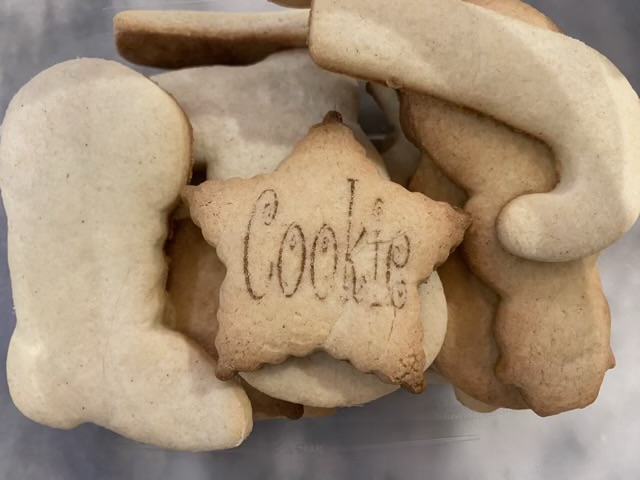
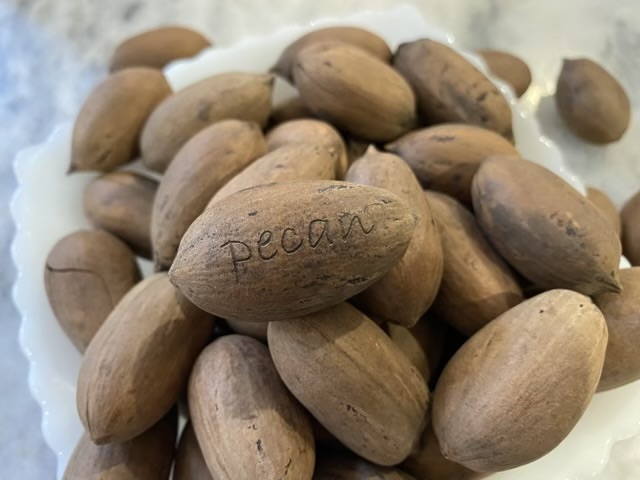
What can I engrave? Can I engrave an orange? A pecan? An acorn? A cookie? Yes, yes, yes, yes. Oh the possibilities.

Photo description: pile of mandarin oranges in a wire bowl, the top orange has the faint but readable word Orange engraved in script
Photo description: pile of pecans in the shell in a white glass bowl, the top pecan has the word pecan engraved in the shell with no dark burn marks in a handwritten serif font
Photo description: pile of acorns in a white glass bowl, the top acorn has the word acorn burned on the shell in a handwritten serif font
Photo description: pile of undecorated sugar cookies, the star cookie on the top has the word Cookie burned in a whimsical curly font

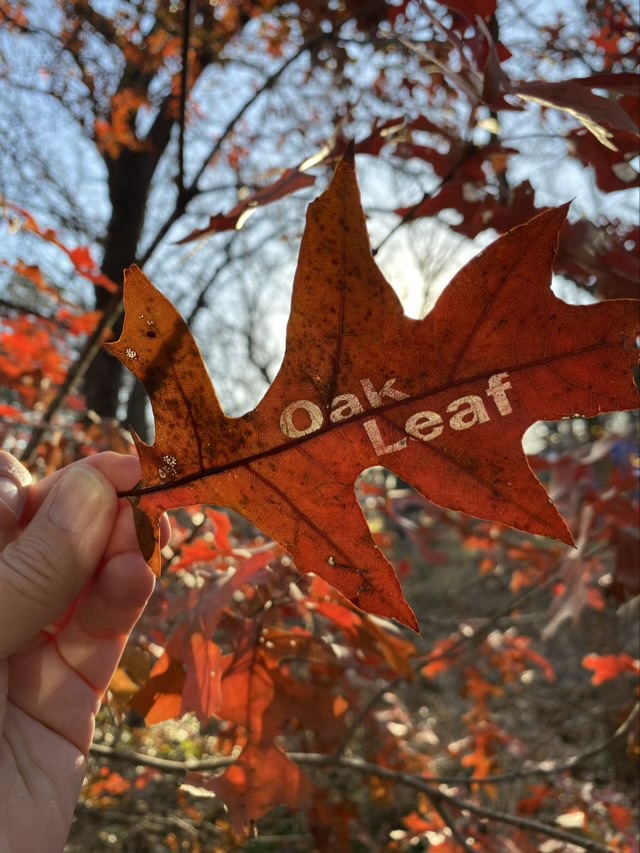
And the bonus for today’s post, a leaf. Leaves are actually a material choice in the software’s menu, so I knew I could engrave those, although I did find that the leaf engraves better when it still has some moisture in it, the very dry and curly post oak leaves would not hold still for the laser. Those I’d have to press flat when fresh, then engrave.

Photo description: red oak leaf held up to the morning sun to let the light shine through the engraved words “oak leaf” in a bold san serif font, red oak tree and woods in the background

Engraving words was an easy way to experiment. I can now move on to designing my own fills and cuts.

Now I’m dangerous

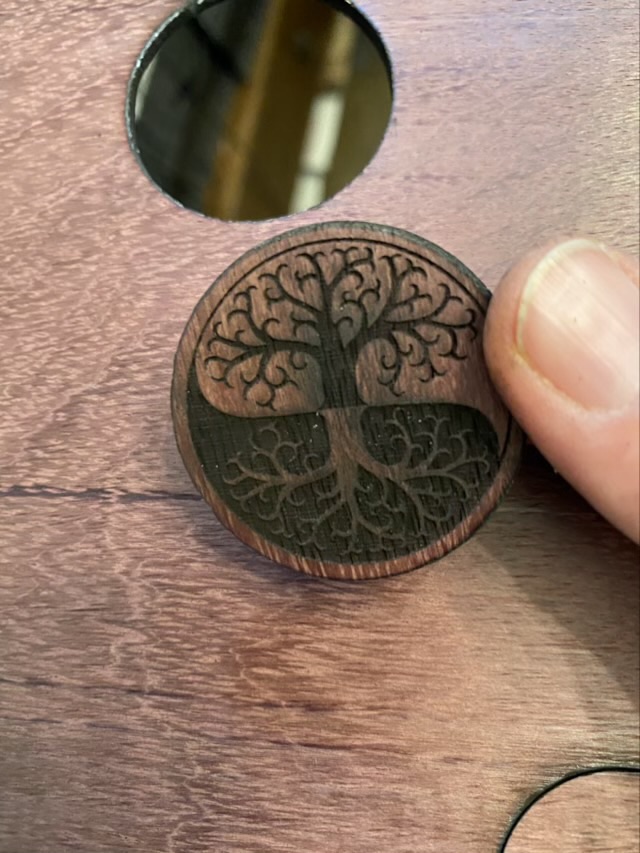
My folks gave me a laser engraver, because I spent so much time at their house playing with their laser. My level of craft ability has now reached dangerous (on a scale of “beginner”, “how cute”, “nice”, “wow”, “dangerous”, “how?”, “mastery”). I started with my business logo on rock, painted brass, and a thin slice of purple heart wood that I sliced on my band saw.

Photo description: smooth river rock with a white mottled tree and roots logo for Caryn’s Creations

The rock ended up with a mottled white design that does not wash off. It has a pleasant texture but probably won’t survive a sealant (testing on that later).

Photo description: circle of purple heart wood engraved with the same burned logo.

I’m still experimenting with settings. The purple heart with logo was a little too intense and the burn carried outside the design.

Photo description: black painted brass with the paint burned away for the logo

I tried a circle of brass (I used a jeweler’s saw to cut it, the blue diode laser won’t cut brass). I originally did clean brass, but it only made a ghost image, so I spray painted the blank with black primer paint, let it dry, and ran it again. I quite like the result.

My head is swimming with all the possibilities.