Masking tape

Some people who use laser cutters advocate for using masking tape to reduce the smoke stains on the surface of the wood. I tried it as I redesign my dishwasher magnet. I don’t like it.
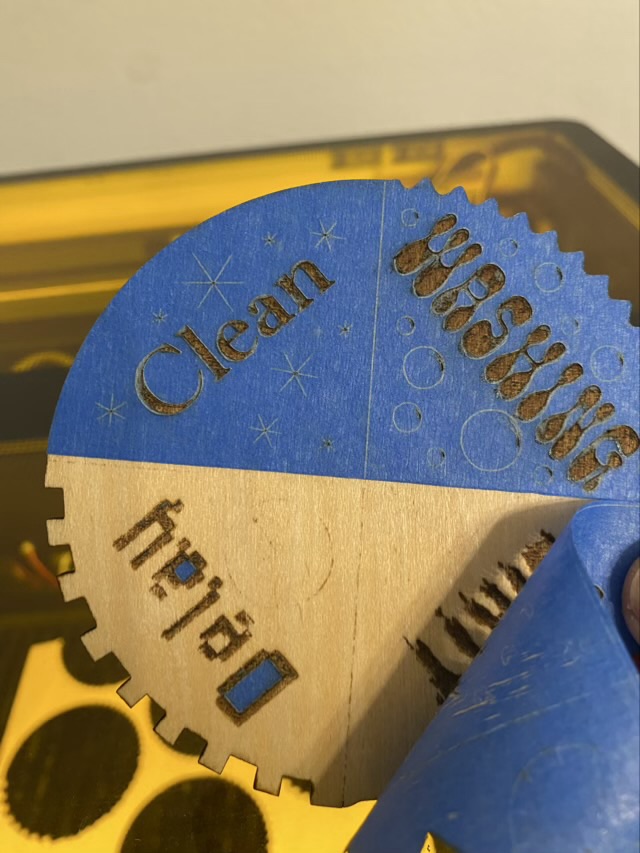
Photo description: after the laser cut project using blue masking tape, small areas of tape are left behind, and the image didn’t fully burn

With the addition of the tape, the laser settings have to be increased because of the thickness of the tape. After burning a design there are also small bits of tape left behind that need to be picked off, and in the fill areas the obliterated tape leaves a sticky residue. Yuck.

So how to deal with those smoke marks? A little bit of sanding with 400 grit sandpaper works wonders and takes less time than removing sticky tape.

Back to the beginning: Why am I redesigning? I didn’t like how the bit map engrave of the previous design was a little messy and took a long time to engrave, so I redrew the art and made an SVG file, which cut the processing time almost in half. Depending on settings, the previous bit map design took 11 minutes, where the new SVG takes 6.
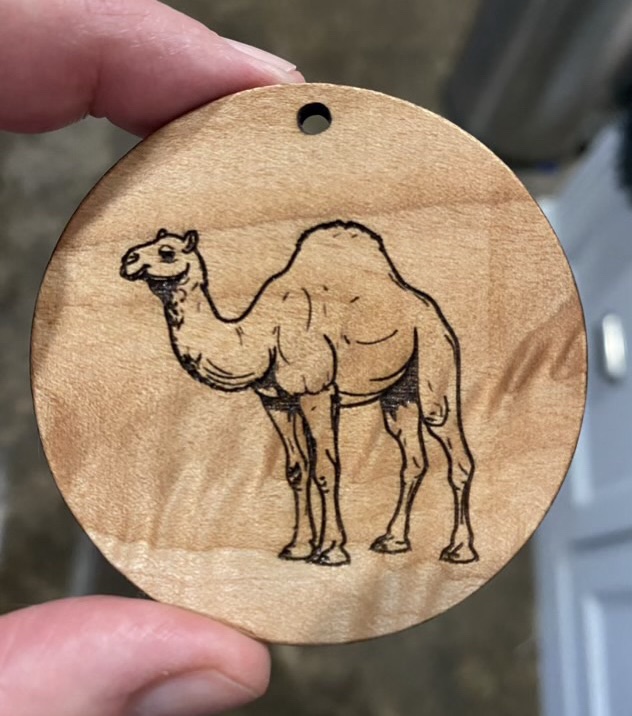
Desert ornament

I had a request for a camel laser cut ornament, so took a slice of flame maple and line engraved an SVG camel image. I like a line engrave of SVG files better than a bitmap engrave for JPG type images.

Photo description: camel laser engraved on a circle of flame maple, finished with Howard’s Feed-N-Wax
Photo description: other side of the same ornament with the camel image reversed and done with a faster speed resulting in a lighter burn

I like the way the flame maple looks like shifting desert sands, especially when it catches the light on the move.

Laser cut clips

I saw a hint about making clips to hold down material in the laser cutter. The tip was for a different brand than I have, with a different grid, but I thought I could design my own clip.

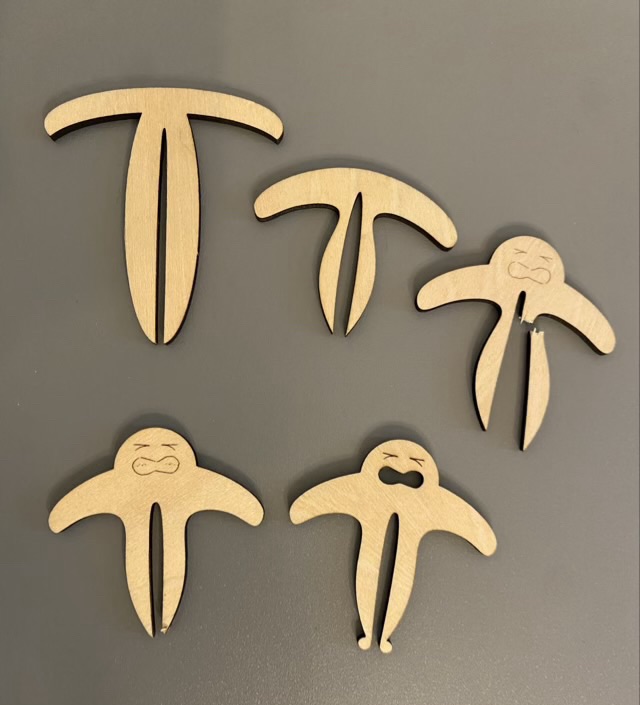
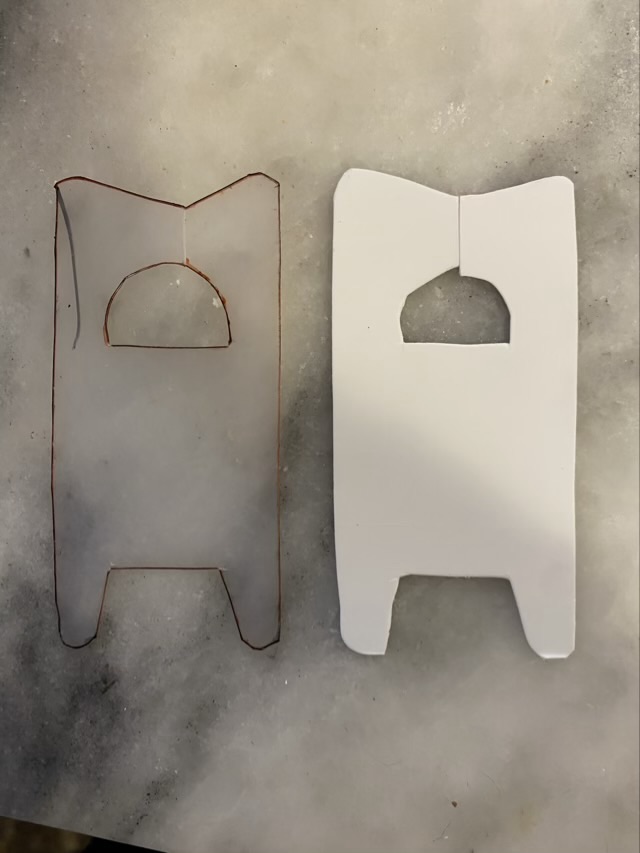
Photo description: clip design evolution: top left was too narrow to fit my tray, top middle needed a tab to make placing easier, top right got a face because the tab looked like a head, bottom left the tines were delicate, bottom right is a functional and personified clip
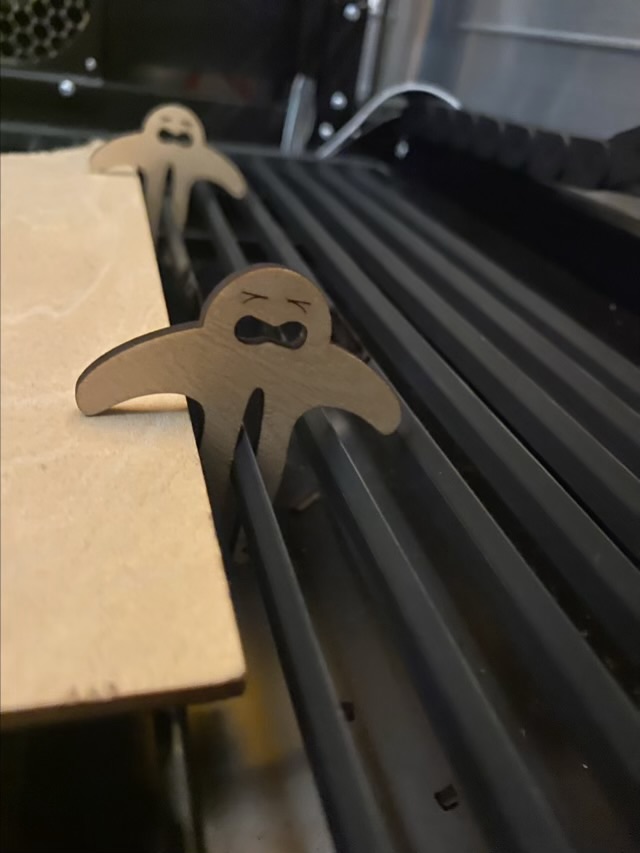
Photo description: laser cut plywood clip person in use

I find the little straining strongman amusing, but it does stick up above the material, so has to be placed away from the path of the laser. I may design something more streamlined later, but the current version is functional so it might be awhile before need demands a redesign.

Laser cut dice cup

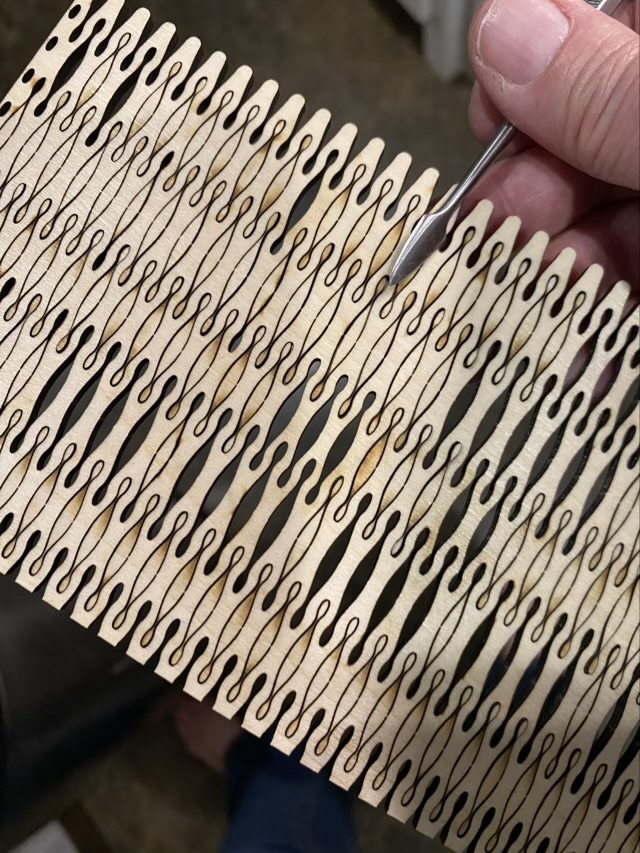
Making kerfs, small straight cuts, in thin plywood allows the wood to bend without breaking. Those kerfs can also be decorative. I found free patterns on an Instructables post, downloaded them, and used the basic building blocks to make an SVG file for a round dice cup. The SVG file was built with sections of the rounded pattern, which resulted in incomplete cuts only a fiber width thick, but enough that many of the cutouts had to be manually ejected (dental tools or long thin carving tools work well for this).

Photo description: cut sides of the dice cup with stuck cutouts, along with the end of the metal tool I used the weed the pattern

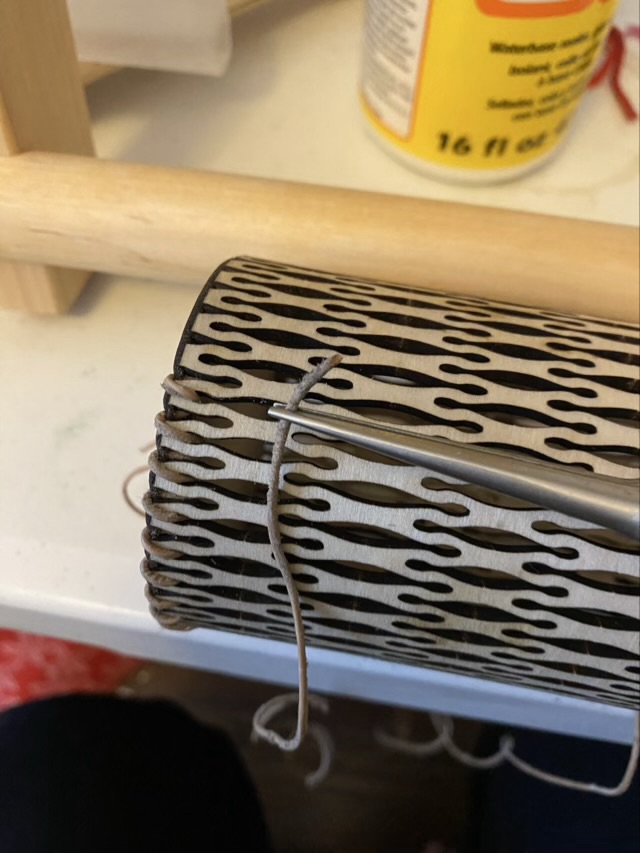
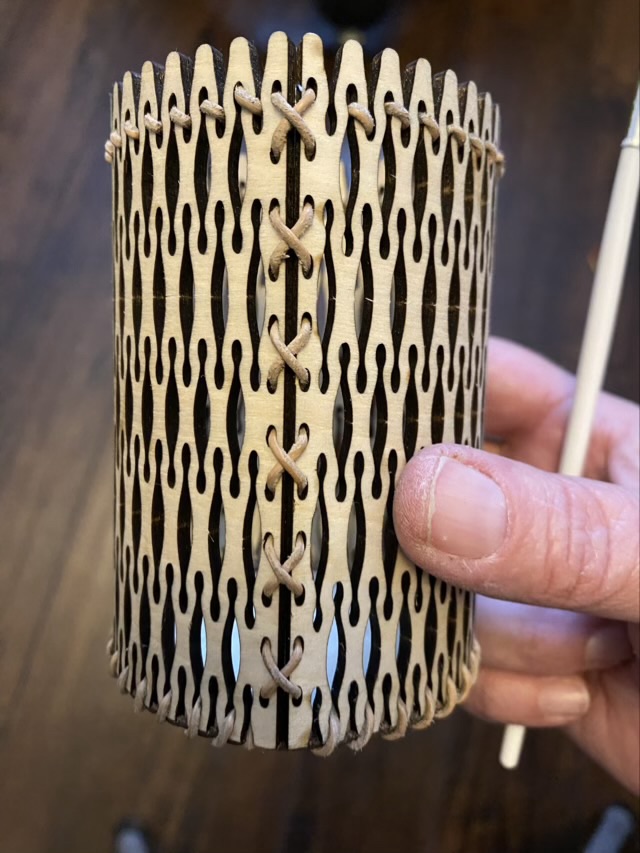
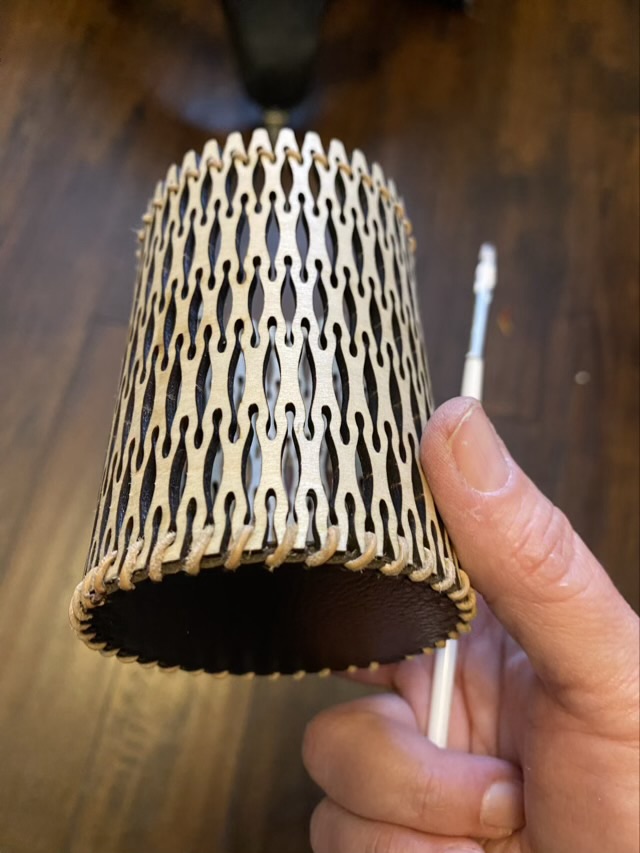
I mentioned that I don’t like butt joints, so I added lace holes along the edge and secured the join by lacing with leather cord. I then measured the diameter of my cup and cut a circle of wood to fit inside the bottom. This is a different kind of butt joint, so I also cut a piece of recycled leather (thank you old recliner) with holes spaced to line up with the gaps in the sides. I glued the leather to the wood and used the same leather lace to sew around the edge of the base.

Photo description: laser cut leather base for the dice cup
Photo description: reinforcing the base with leather lace sewn through the holes using a long nose pliers to reach inside the narrow cup
Photo description: finished cup with leather lace securing the joins and another line of lace as a decorative element at the top
Photo description: dice cup bottom oblique view

I used my go-to finish, Howard’s Feed-N-Wax, which was problematic. The wax became wedged in the small decorative curves and was very difficult to rub into the surface. Some time in the oven on low melted the wax, but I think for the next project I’ll use light coats of a spray finish.

This was an interesting project that resulted in an unusual object, but not one I think I’ll repeat. I will take elements of this piece and apply them to other ideas.

Experiments continue.

Bobbin fail

I’ve been cutting yarn bobbins out of waste plastic, as my grandmother did.

Photo description: hand cut plastic yarn bobbins made from waste plastic

I’m not as precise as my grandma, or I don’t take as much time, but I wondered if my new laser cutter could do a precise job for me. I read that the kind of plastic matters. PVC, for example, lets off chorine when heated, which can degrade the laser.

I designed an SVG file of the outline and hole, but left the slit to be cut by hand. The slit needs to be tight to hold the yarn back. I did my first try on a Tide pod container, which is PET (polyethylene terephthalate).

Photo description: three attempted laser cuts in the cut out side of a Tide pod container, with diode laser settings written on the plastic

The plastic melted and cooled, resealing the cut, but not releasing the piece from the base material. The cut the nearly made it through showed bad burn marks on the back where the label was adhered. I attempted to remove the label, but it was firmly attached.

Photo description: back of the cut sample showing the label burned by the laser

The labels on the Tide container have a shiny component, and I wonder if this is why it failed. Hm. Experiments will continue.