I made this spindle whorl awhile back using a laser cutter. The dragonfly design is my own.
Photo description: plywood whorl with dragonfly design and six extended circle shaped spokes
I had an empty shaft and decided to give the whorl a whirl while I was spinning my Black Welsh Mountain fiber.
Photo description: single spun yarn wrapped on a spindle shaft
I should have sanded down the shaft some, the top hook did not stick up far enough which made it difficult to wind yarn on and off. The single layer whorl also didn’t feel substantial, and although the size was large enough to keep momentum, I struggled with it bumping into me. It is slightly better than using a CD as a whorl, but only because it has dragonflies. Back to the design board.
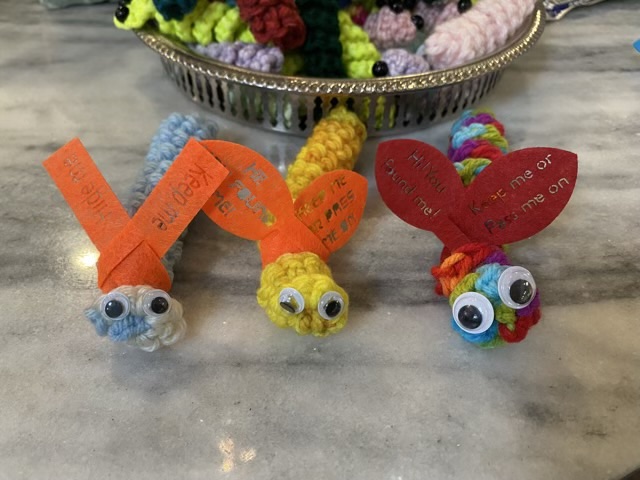
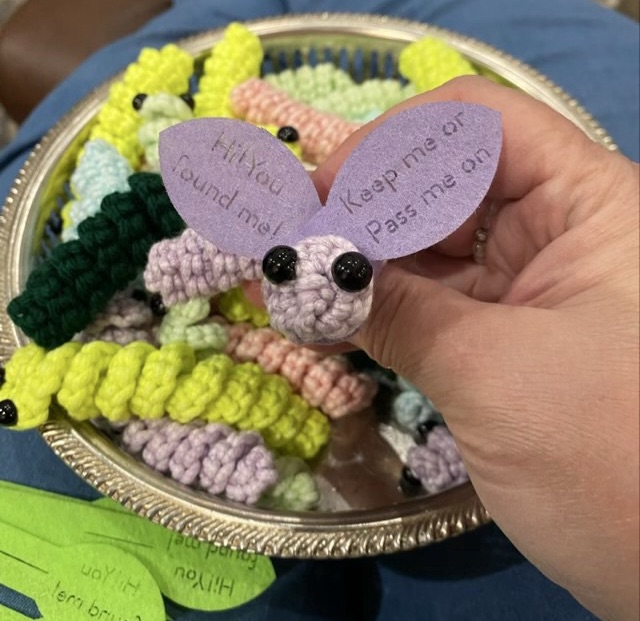
When we hide rocks for the Kindness Rocks project, we put some simple instructions on the back. I wanted to put something similar on my worry worms. I started with a scarf idea, with a simple slit for the attachment and words burned into man-made felt. After a couple tests, I thought the scarf looked more like wings, so changed my design in Adobe Illustrator, saved it as an SVG, and imported it in my laser cutter’s program.
Photo description: three worry worms with a scarf (left), wings with a bold font (middle), and wings with a thin stencil font (right)Photo description: yellow and orange felt in the laser cutter, there were definite cutting differences between colors, in this photo the orange cut much cleaner than the yellow with the same settingsPhoto description: purple glow worry worms with a with purple wings that say “Hi! You found me! Keep me or pass me on” with more worms and wings in the background
I just love their little wings! I did find it interesting that the thin stencil font was easier to read than a bold stencil.
I took these to my regional chorus competition and my chorus had a great time “hiding” them for other competitors to find.
My Dad has been experimenting with making hot sauce. I thought he needed a hot sauce holster for either sauces or spices so they are easy to grab, so I made him one from leather. I started the design process with card stock, so I could get the sizes and shapes right.
Photo description: gray card stock cut into various pieces with two spice jars, pencil, and ruler
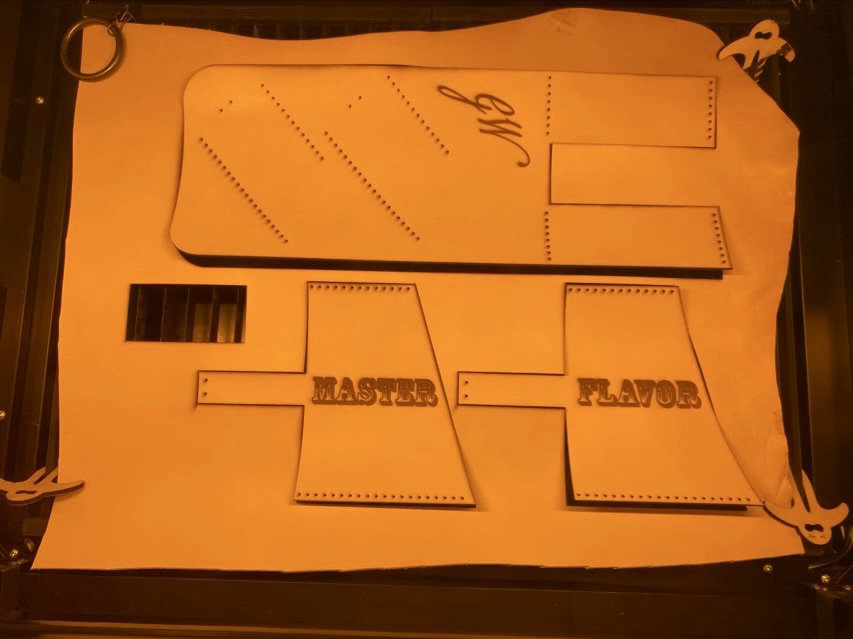
Once I was comfortable with my design, I used Adobe Illustrator to lay it out digitally, including engraving and lace holes. I included a “test” rectangle, which was very helpful and something I will include in future design projects, because I was able to use those elements to test my laser cutter settings before committing to larger objects.
Photo description: four test runs of the word “test” and outline and hole cuts on scrap leatherPhoto description: leather still in the laser cutter, test swatch missing and three holster pieces engraved and cut
I rinsed the leather with water to remove the soot and smoke marks, then dyed it with leather dye.
Photo description: leather dyed with buckskin colored dye
I used waxed linen to sew the pieces together. I absolutely love how even I can laser cut the holes. Neat stitching is 90% hole placement.
Photo description: sewing leather at 90 degrees with waxed linen cordPhoto description: sewn leather holster with 3/4” grommet installed using Dritz pliers
I’m had some space at the bottom of the holster and thought that places to hang things are always potentially useful, so installed a gold hued metal grommet. I finally bought a pair of grommet pliers for this size, and it makes installation so much easier than hammering dies together.
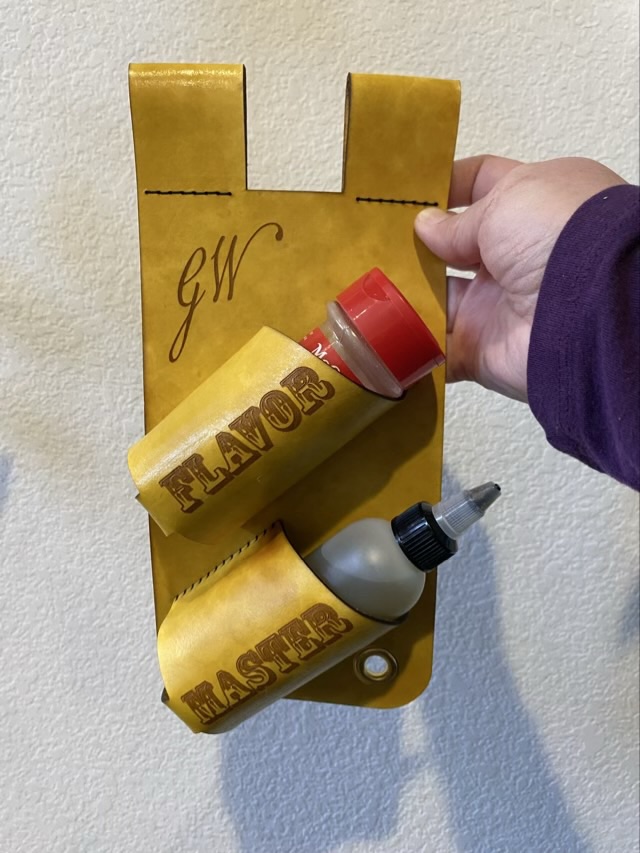
Photo description: Finished spice holster with one spice jar and one hot sauce bottle and the words “Flavor Master”
The holster is designed to hang from a belt, and since it is wide, I separated the belt loop into two sections so it can accommodate a belt loop if necessary.
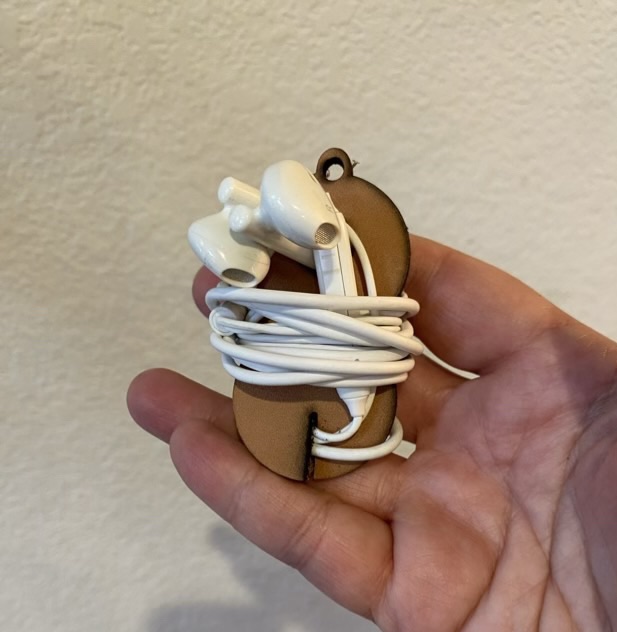
My headphones were in a tangle in the bottom of my bag. I realized that I now have a way to design and cut leather quickly, and could make a holder! I laid out an SVG file in Adobe Illustrator inspired by a Pinterest pin, put a piece of scrap tooling leather in my laser cutter, and ran the program.
Photo description: prototype leather headphone holder with key chain hole, hole for the ear buds, and slit to hold the end of the cordPhoto description: headphones wrapped around the leather holder
Hm. Not as neat as I hoped. Still, first prototypes usually aren’t spot on. This design would probably work better with headphones that don’t have a volume button on the cord, and have different shaped ear buds. I also need to beef up the keychain ring. It’s looking a little thin. Back to the drawing board. (Really, I’ll do a pencil sketch first on paper this time, then go to the computer.)
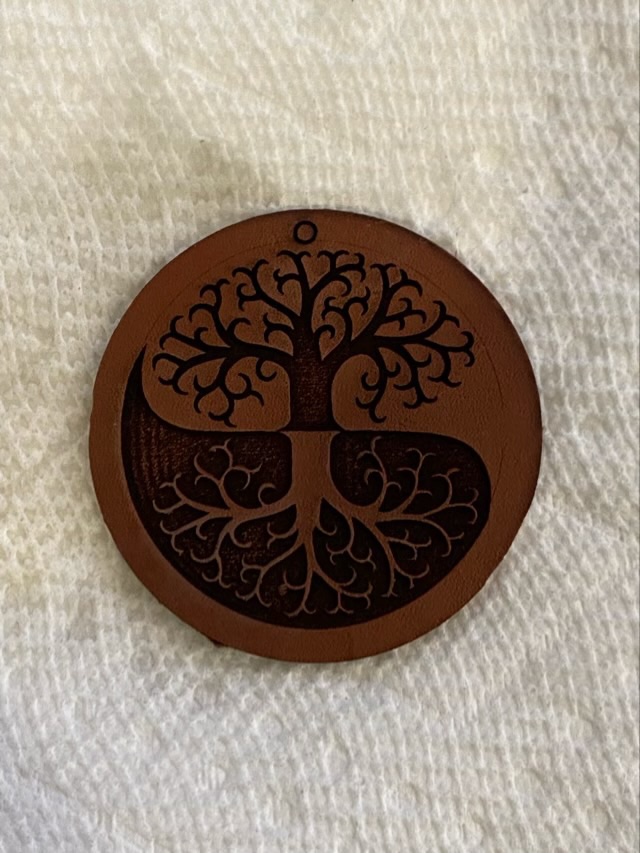
I did my first test of tooling leather in my laser cutter. I used a two color version of my business logo and did a fill engrave of the logo and a cut for the circle. The cut wasn’t quite powerful enough to go through the thick tooling leather, but not surprising for my first attempt.
Photo description: Caryn’s Creations tree logo burned into tooling leather with a laser cutter
I had to finish the cut with shears. There was smoke residue on the surface, but a quick rise removed it.
Photo description: same logo on leather, cut out and wetPhoto description: same leather logo now dry
I do take screen shots of the engraving and cutting settings because I’m pretty sure my software resets every time I open a file. I’m also starting to get a good feel for the settings.
I’m am now well and truly dangerous. I love working with tooling leather, and this opens up a whole realm of opportunities.










 Critters and Craft